




I’m sure you’ve heard that the speed of your website is one the most important things for search engine ranking. As I’ve said before, a slow loading website is just going to turn your site visitors away. A website speed test is can help you test your performance and even offer things that need improvement.
Why is Website Speed Important?
First, SEO ranking. Google has switched to a mobile-first indexing concept. This means the mobile version of your website is how they rank you for search listings. The mobile version of your website should load fast and the best way to test is with a Website Speed Test.
Second, is user experience. If your site is slow, desktop or mobile, your site visitor is going to move on. While this can be assessed by visiting your site yourself, it’s nice to also have the numbers that the test give as well.

Run a Website Speed Test
It’s good to run several tests as you your scores and results will likely differ based upon where the test is run from. Run a few tests and see if and how your score fluctuates.
Some speed test sites will allow you to select a location. You should select a location near the majority of your users. If your website is global then you should run tests from various locations.
Website Speed Test Tools
There are several speed test sites and it’s a good idea to use a few of them.
- Google PageSpeed Insights
This is my preferred testing website. Mostly because Google ranking is important and this tool is run by Google. It stands to reason that achieving a good score here should affect your ranking. The reports provided give starting points to improve your score. - GTmetrix
This is a popular monitoring tool. The benefit being that you can select your test location. The detailed reports are helpful in improving your website to achieve better results. You will need to create an account in order to change your testing location. - Pingdom
This is another popular tool liked by many. You can also select your test location and results provide some starting points for improvement.
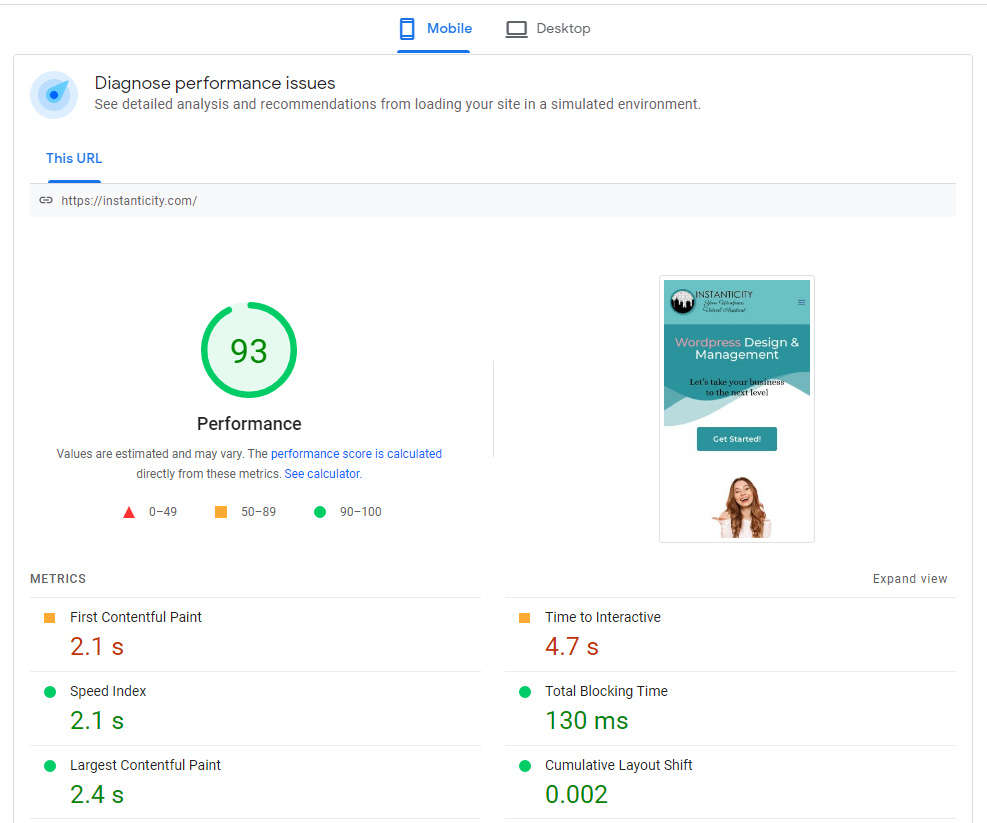
After a few tests you can begin to improve your website speed using the suggestions the tests give you. Some of these improvements are fairly simple, like resizing and optimizing images, while some can require a little more work and should probably be passed off to someone else. Sometimes correctly utilizing a plugin can make a big difference. Sometimes you need to make a more drastic change like switching up your hosting provider.
For the sake of your website visitors and to assist your search engine ranking you should test your website periodically. Remember to always test when you make major changes to your website so you can find areas for improvement with your new web design or layout. With a few tests and a few tweaks you can improve your website experience.


